
Discover how insider threats often bypass monitoring systems. Learn effective strategies to prevent insider threats and protect your sensitive data.
View More

Training staff to look for grammar mistakes actually makes them miss the most convincing phishing emails. Most scam emails are now well-written, so relying on language errors leaves businesses exposed to the real threats.
A phishing email catches people off guard precisely because it no longer announces itself. The old giveaways—typos, broken grammar, awkward phrasing—have mostly disappeared, replaced by messages polished enough to pass for routine business correspondence.
One clear insight follows from that shift: relying on grammar and spelling alone to detect phishing leaves your business exposed to more sophisticated attacks.
That exposure exists because attackers have studied the training most employees receive. Knowing that people are taught to watch for poor writing, scammers have simply invested more effort into making their messages look professional and convincing.
So the basics of identifying a phishing email haven't disappeared, but they're no longer sufficient on their own. Instead of focusing only on language errors, you need to understand the newer tactics scammers use and adjust your defenses to match them.

Many people still expect a phishing attempt to announce itself through obvious mistakes, an assumption that no longer holds. Scammers have realized that poor grammar is a giveaway, so they've improved their writing accordingly.
That improvement means a well-crafted phishing email can slip past even the most attentive employees, since the danger isn't just that these messages look clean—they also mimic the tone, style, and branding of legitimate companies.
Because of that mimicry, businesses that rely on language errors as their main defense now carry greater risk. Attackers are using professional templates, correct spelling, and even company logos to make phishing messages blend seamlessly with real ones.
The result is a newer kind of threat: emails that look trustworthy on the surface while being engineered to steal sensitive information. A team watching only for clumsy writing may miss the real danger hiding in plain sight.
Spotting a phishing email today means looking past grammar entirely and toward the subtle details scammers can't always fake.
Phishing messages often manufacture urgency, pressuring you to act quickly or risk losing access to something important, and from there they may ask for personal information or push you toward a link that looks almost—but not quite—right. That near-match is the tell worth chasing: check the sender's email address carefully, since even a familiar display name can mask an address with small changes or extra characters. Hovering over any link before clicking reveals where it actually leads.
Layered on top of that habit is a simpler rule: legitimate companies rarely ask for passwords, credit card numbers, or other credentials by email. A message requesting this kind of information is a red flag no matter how well it's written.
Training a team in West Palm Beach to spot a phishing email takes more than a grammar lesson—the stronger approach teaches employees to notice patterns and behaviors that don't match normal business practices.
That starts with questioning unexpected requests, especially ones involving sensitive information or financial transactions; a message that feels urgent or out of character deserves a closer look before anyone responds. Alongside that instinct, everyone should know how to check the real sender behind an email rather than trusting the display name, hovering over links and attachments before clicking, and comparing URLs for small differences that could signal a scam.
Even a single misplaced letter can separate a safe message from a threat, which is why a culture of easy reporting matters just as much as the technical checks. When employees feel comfortable flagging suspicious emails without fear of blame, quick reporting protects the whole business.
When businesses train employees to hunt for grammar and spelling mistakes, attackers simply adapt around that filter. They run spellcheckers, copy real company emails, and even hire native speakers to write their messages.
As a result, the old "bad English" warning sign is no longer reliable. Phishing attacks now lean instead on psychological tricks—urgency, authority, curiosity—to get people acting before they think.
That psychological approach is sharpened further by social engineering: attackers gather information about a company first, then reference real projects, use the names of actual employees, or mimic internal communication styles to make the message land.
By the time a phishing email reaches an inbox, it may look perfect on the surface. The real danger sits in what it asks you to do, not in how it's written.
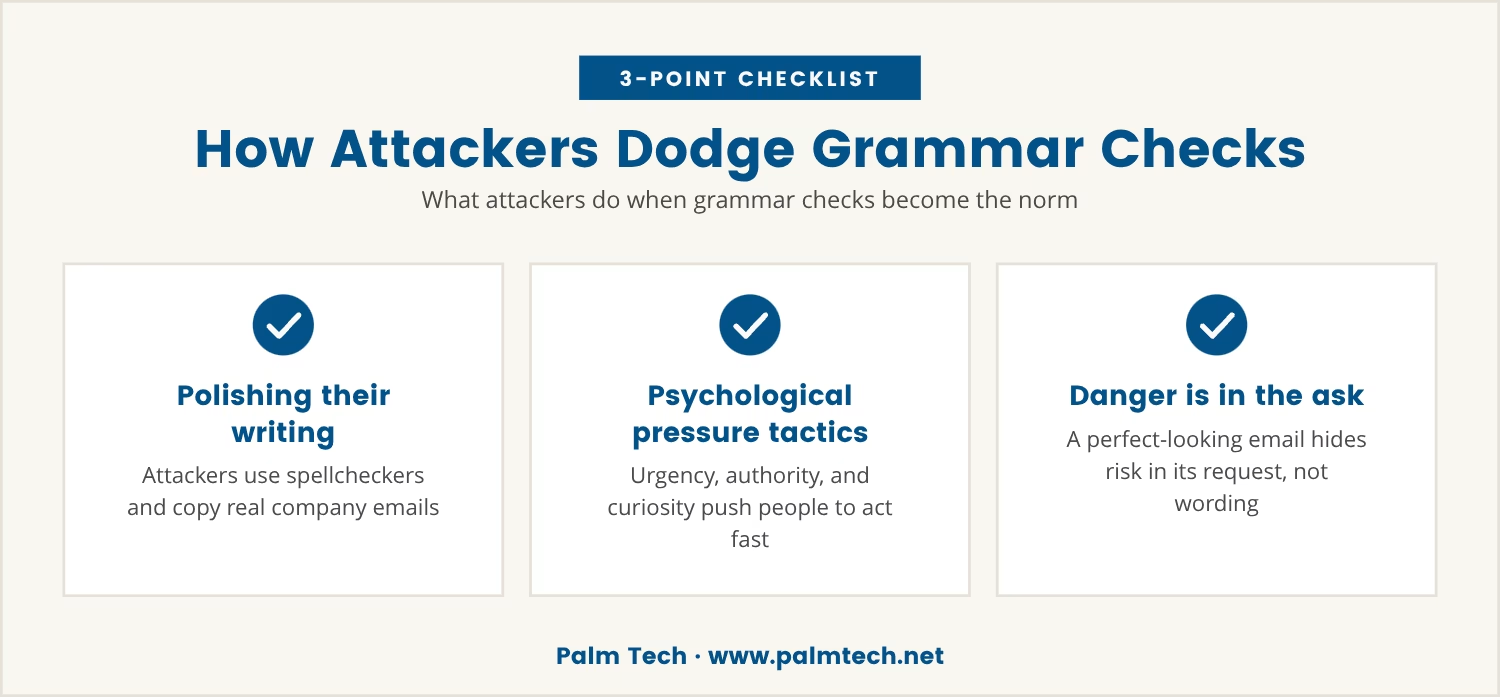
Several strategies now let scammers slip past employees trained to look for language errors alone. The most common ones:
Attackers copy the format, branding, and tone of legitimate companies to make phishing messages seem authentic.
Rather than generic messages, scammers target specific people with personalized details, making the email harder to spot.
They create URLs that closely resemble real company websites, banking on employees not noticing the small differences.
Instead of placing dangerous links in the email body, attackers tuck them into attachments to deliver malware or collect credentials.
Phishing emails often claim something needs immediate attention, pushing recipients to act fast without double-checking details.
Modern phishing messages are carefully reviewed to strip out spelling mistakes and awkward phrases, making them appear legitimate.
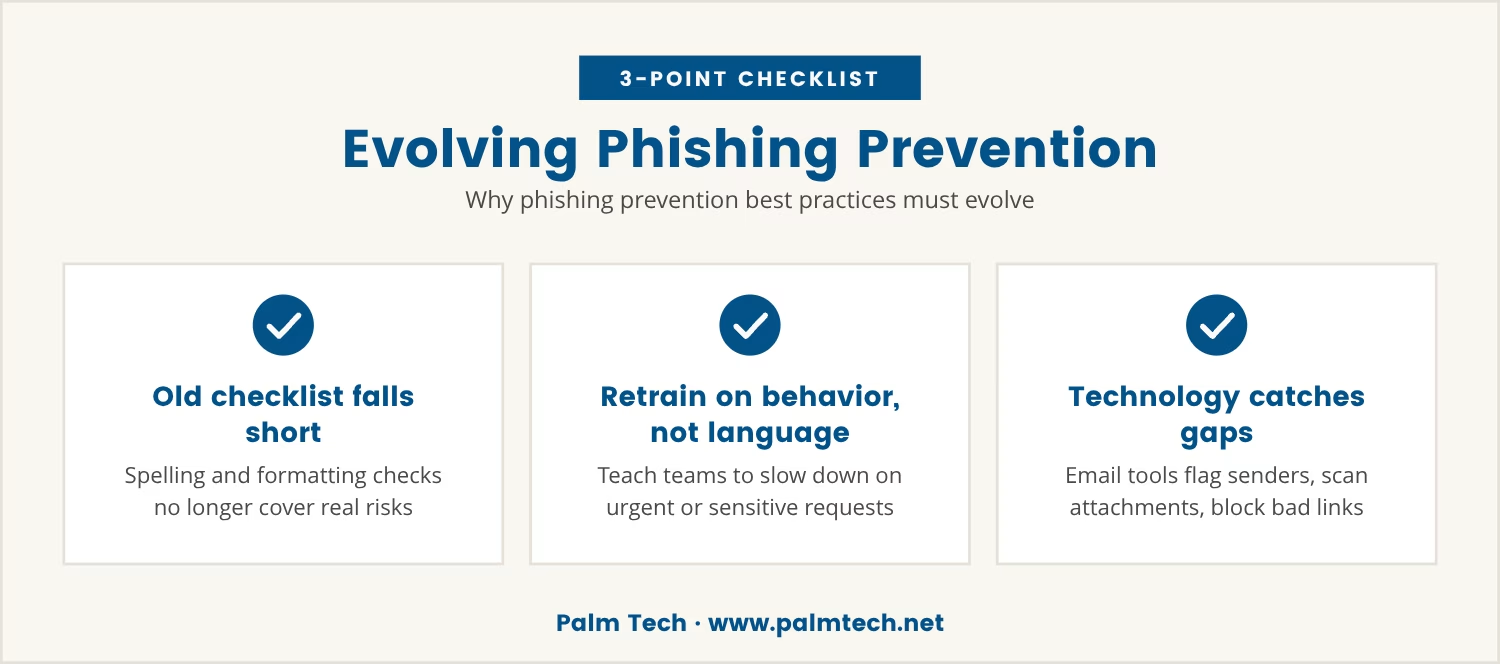
The old checklist—spelling errors, strange greetings, odd formatting—no longer covers the real risks, and as phishing attacks grow more sophisticated, prevention methods have to keep pace.
That starts with updating training materials to focus on behavioral cues and technical checks rather than language alone, teaching teams to slow down whenever an email requests sensitive information or pushes for fast action.
Technology can catch what people miss: email security tools flag suspicious senders, scan attachments, and block known malicious URLs. Even so, the best tools can't replace careful human judgment.
That judgment comes down to a simple habit—asking whether a request makes sense and whether this person would normally reach out this way. If something feels off, double-checking costs far less than a breach.
A business that still trains employees to spot phishing by grammar alone leaves the door open to more advanced attacks, especially now that well-written phishing emails are the norm rather than the exception.
The cost of a successful attack reaches well past lost data—it can damage reputation, disrupt operations, and lead to financial loss. For companies in West Palm Beach and beyond, the stakes are too high to lean on outdated advice.
Shifting focus from language errors to the real tactics scammers use builds a sturdier defense. The sooner that shift happens, the safer the business becomes.

Many businesses with 25 to 150 employees still depend on outdated advice about phishing, which can leave them vulnerable to well-crafted attacks. At Palm Tech, we understand how quickly these threats evolve and how easy it is to miss the warning signs.
If you want to see how we help businesses move beyond grammar checks and build real resilience, let's talk about your current approach and what could make it stronger.
Get started with Palm Tech and you'll pay no onboarding fees, plus you get a 90-day no-lock-in guarantee—risk-free for qualifying businesses.
Report any suspicious email—even a well-written one—to your IT department or security team right away. Most email platforms also include a "report phishing" option that helps block future attacks, and quick reporting can prevent others in the company from falling for the same scam.
Disconnect from the internet and contact your IT team immediately. They can check your device for malware and guide you through changing any compromised credentials, and acting fast limits the damage.
Clone phishing copies a real email you've already received and alters it slightly to include a malicious link or attachment. Attackers favor this method because the familiarity makes the message feel trustworthy, raising the odds you'll follow its instructions.
Yes, several. Unusual requests for sensitive information, urgent deadlines, mismatched URLs, and unexpected attachments all signal a phishing attempt, even when the email is perfectly written.
Train your team to be cautious with emails that include personal details or reference internal projects, and encourage them to verify unusual requests through another channel, like a phone call, before acting. Spear phishing is convincing because it's targeted, so extra vigilance is needed.

Discover how insider threats often bypass monitoring systems. Learn effective strategies to prevent insider threats and protect your sensitive data.
View More

Explore why security awareness training topics need regular updates. Discover how ongoing training can enhance employee security awareness.
View More