
Learn how to spot a phishing email effectively. This article reveals key tactics scammers.
View More


What we keep hearing from businesses is that many teams use Microsoft 365 every day but barely scratch the surface of what Copilot can do. One thing that surprises a lot of users is how much time they could save if they knew about features like Copilot chat and prompt suggestions built right into their favorite apps.
"Microsoft 365 Copilot features can automate routine tasks, summarize information, and help you draft content faster than ever."
Industry research shows that most teams underestimate how often they repeat manual tasks that Copilot could automate. If you’re using Microsoft 365, understanding these Copilot features can help you get more from your investment and free up time for more important work. Whether you’re drafting emails in Outlook, analyzing data in Excel, or creating presentations in PowerPoint, Copilot helps you work smarter and faster. Let’s break down what makes these features so valuable and how they fit into your daily workflow.
Microsoft 365 Copilot features are designed to bring the power of AI directly into the tools you already use. By integrating Copilot into apps like Word, Excel, Outlook, and Teams, Microsoft aims to simplify your daily tasks and improve productivity. These features use AI to help you draft documents, summarize long email threads, and even suggest ways to automate repetitive work.
The features of Microsoft 365 Copilot go beyond just saving time. They help reduce errors, keep your team on the same page, and make it easier to find and use information. For businesses, this means more reliable systems and a smoother workflow. With Microsoft 365 Business Premium features, you also get advanced security and compliance tools, which are essential for growing companies.
When you explore Microsoft 365 Copilot, you’ll notice that it’s not just about automation. It’s about giving you real-time support and insights, so you can make better decisions and focus on what matters most.
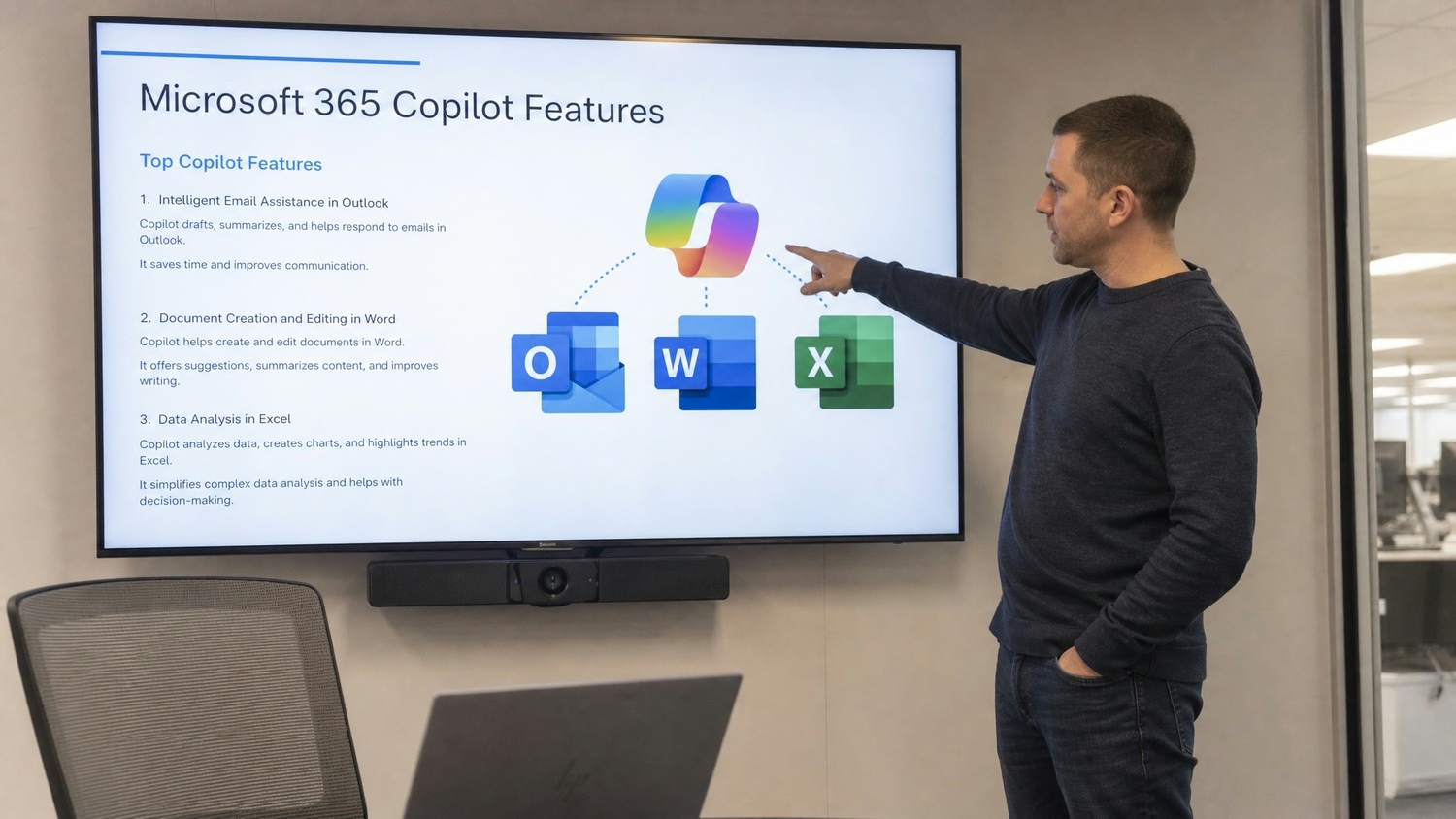
If you want to get the most out of Microsoft 365 Copilot, it helps to know which strategies work best. Here are some key ways to unlock its full potential:
Copilot chat lets you ask questions and get instant help inside your Microsoft 365 apps. Instead of searching through menus or help articles, you can type a question and get a direct answer. This saves time and helps you stay focused on your work.
One of the most powerful Copilot features is the ability to automate routine tasks. By using prompts, you can tell Copilot to schedule meetings, organize files, or even draft standard emails. This reduces manual work and helps you avoid mistakes.
If you deal with lengthy reports or email threads, Copilot can quickly summarize the key points. This makes it easier to stay informed without reading every detail. It’s especially useful for managers who need to review a lot of information in a short time.
Copilot helps you draft documents, emails, and presentations faster. It can also suggest formatting changes to make your work look more professional. This is a great way to improve quality without spending extra time.
To get the most value, make Copilot part of your daily workflow. Use it to check your inbox, schedule meetings, and review documents. The more you use it, the more you’ll discover new ways it can help.
Each Microsoft 365 app has unique Copilot features. For example, Copilot in Excel can help you analyze data, while Copilot in Teams can summarize meeting notes. Try out these features in different apps to see what works best for your team.
Here are some of the most important features you’ll find in Microsoft 365 Copilot:

AI is at the core of Microsoft 365 Copilot features. It powers everything from drafting emails to analyzing spreadsheet data. By using AI, Copilot can understand your work habits and suggest ways to improve efficiency. This means you spend less time on routine tasks and more time on projects that matter.
With features like Copilot in Excel and Copilot in Word, you get real-time suggestions and insights. For example, AI can help you spot trends in your data or recommend ways to format your documents. These features are especially useful for teams that handle large volumes of information.
AI also helps with security. Microsoft Copilot uses advanced algorithms to detect unusual activity and protect your data. This is a key benefit for businesses that need to meet strict compliance standards. When you use AI in your workflow, you’re not just saving time—you’re also making your business more secure.
Microsoft 365 Copilot offers a range of features that work together to boost productivity. Let’s look at how Copilot chat, Excel integration, and prompt-based automation fit into your daily routine.
Copilot chat is built into apps like Outlook and Teams, giving you instant answers to your questions. You can ask for help with formatting, scheduling, or even finding old emails. This feature reduces the need to leave your workflow to search for help.
Copilot in Excel helps you analyze data, create charts, and spot trends without needing advanced skills. You can ask Copilot to explain complex formulas or suggest ways to visualize your data. This makes Excel more accessible for everyone on your team.
Prompts let you automate common actions, like sending reminders or organizing files. By setting up prompts, you can reduce manual work and make sure nothing falls through the cracks. This is especially helpful for teams with a lot of repetitive tasks.
Copilot in Outlook can draft emails, summarize long threads, and help you manage your inbox. In PowerPoint, Copilot can suggest slide layouts, create summaries, and even recommend images. These features help you communicate more clearly and professionally.
With Copilot Studio, you can create custom AI experiences tailored to your business needs. This lets you automate unique workflows or integrate Copilot with other tools. It’s a powerful way to extend the value of Microsoft 365 Copilot.
Copilot in Teams helps you keep meetings on track by summarizing discussions and assigning action items. Real-time collaboration features mean everyone stays informed, even if they miss a meeting. This keeps your projects moving forward.
Microsoft security features are built into Copilot, helping you protect sensitive information. With tools like data loss prevention and compliance monitoring, you can be confident your business is secure while using AI-powered features.

Getting started with Microsoft 365 Copilot features is easier than you might think. Begin by identifying which apps your team uses most—like Outlook, Excel, or Teams. Then, explore the built-in Copilot features in each app. Most users find it helpful to start with simple tasks, such as drafting emails or summarizing documents, before moving on to more advanced automation.
Training your team is key to success. Make sure everyone knows how to access Copilot chat, use prompts, and take advantage of real-time suggestions. Encourage team members to share their favorite Copilot uses, so everyone can learn from each other. Over time, you’ll discover new ways to streamline your workflow and get more from your Microsoft 365 Business Premium features.
Finally, keep an eye on updates from Microsoft. New features are added regularly, and staying informed will help you maintain a competitive edge. If you run into challenges, don’t hesitate to reach out for support or additional training.
To get the best results from Microsoft 365 Copilot, follow these best practices:
By following these steps, you’ll get more value from your investment and make daily work easier for everyone.

Are you a business with 25 to 150 employees looking to get more from Microsoft 365 Copilot features? Growing companies often struggle to keep up with new technology, and it’s easy to miss out on tools that could save you time and money.
We help businesses unlock the full potential of Microsoft 365 Business Premium features and the latest Copilot tools. Our team can guide you through setup, training, and ongoing support, so you can focus on what matters most. Contact us today to learn how we can help you streamline your workflow and boost productivity.
Copilot in Excel makes it easier to analyze data, create charts, and automate calculations. You can use prompts to ask Copilot to summarize trends or format your spreadsheets, saving time and reducing errors. Many businesses find that Copilot helps them spot insights they might have missed otherwise.
By using Copilot in Excel, your team can focus on decision-making instead of manual data entry. This feature is especially helpful for companies that handle large amounts of information and want to improve their workflow.
Copilot in Outlook can draft emails, organize your inbox, and summarize long email threads. This helps you stay on top of communication without spending hours sorting messages. Copilot chat also lets you ask questions and get quick answers within Outlook.
With these features, you can automate repetitive tasks and focus on more important work. Copilot in Outlook is a great way to boost productivity and reduce stress for busy teams.
Yes, Copilot in PowerPoint can suggest slide layouts, summarize content, and even recommend images. By using AI, you can create professional presentations faster and with less effort. Copilot helps you format slides and draft speaker notes, making your message clearer.
These features are especially useful for teams that need to create presentations regularly. Copilot in PowerPoint ensures your slides look polished and are easy to understand.
Copilot Studio allows you to build custom AI experiences tailored to your business needs. You can automate unique tasks, integrate with other tools, and create prompts that fit your workflow. This flexibility is ideal for businesses with specialized requirements.
By using Copilot Studio, you can extend the value of Microsoft 365 Copilot and make your processes even more efficient. It’s a smart way to get more from your existing software.
Microsoft 365 Copilot includes advanced security features like data loss prevention and compliance monitoring. These tools help protect your business from threats and ensure you meet regulatory requirements. Microsoft security is built into every Copilot experience.
With these features, you can use AI confidently, knowing your data is safe. Security is a top priority for Microsoft, and Copilot is designed to keep your information protected.
To get the most from real-time Copilot experiences, encourage your team to use features like Copilot chat and prompt-based automation. These tools help you get instant support and automate routine tasks, making your workflow smoother.
Regular training and sharing tips can help everyone stay up to date. By exploring Microsoft 365 Copilot features together, your team will discover new ways to work smarter every day.

Learn how to spot a phishing email effectively. This article reveals key tactics scammers.
View More

Discover how insider threats often bypass monitoring systems. Learn effective strategies to prevent insider threats and protect your sensitive data.
View More